vivago.ai - AI Image & Video
- 4.3
- Rating
- 50.00M
- Installs
- Free
- Price
 Analysis by App-foxy
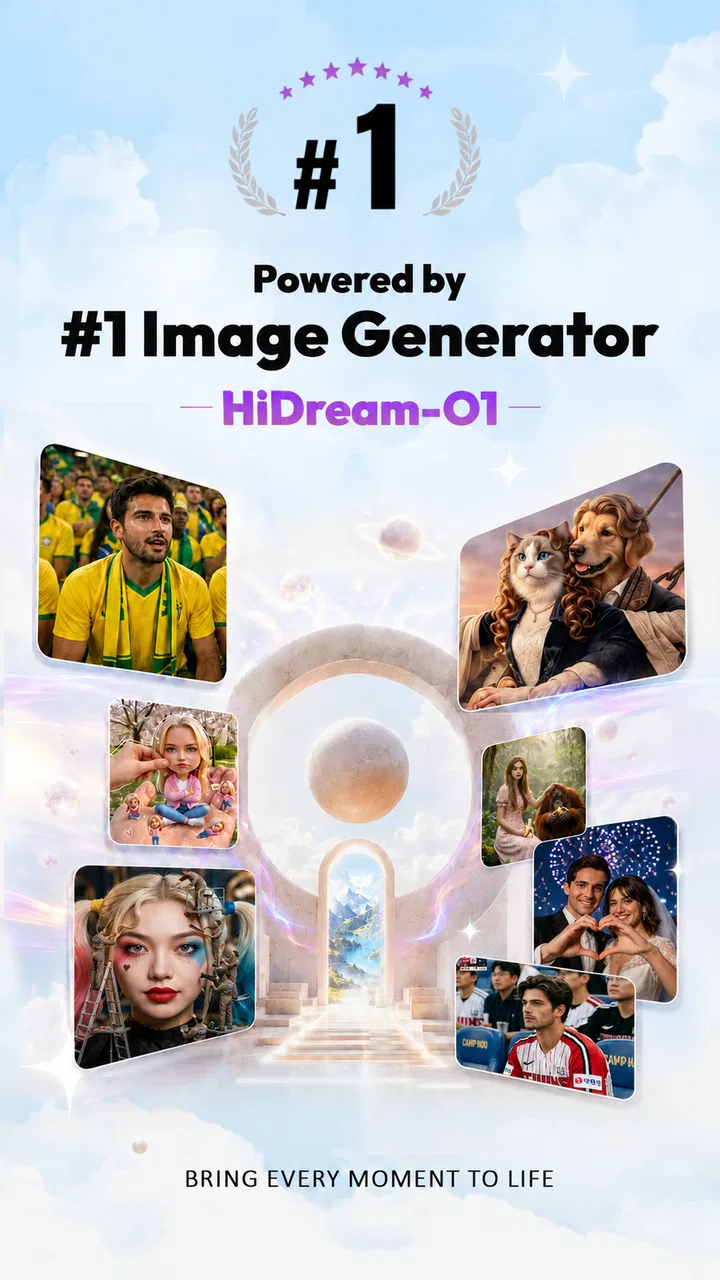
I approached vivago.ai - AI Image & Video as a practical creative tool rather than a simple filter app. It sits in the video players and editors category, but its real appeal is the way it brings AI-generated images, short visual experiments, and stylized effects into a phone-first workflow. I can see why it has attracted a large audience: the app is free to start, easy to understand, and aimed at people who want something more distinctive than a standard crop, color adjustment, or transition.
My overall impression is positive, with an important qualification. This is most useful when you want to explore an idea quickly, make a social post feel more expressive, or turn an ordinary photo into something with a strong visual identity. It is less convincing as a replacement for a full editor when you need exact control over every frame, dependable professional output, or a completely predictable result. The decision comes down to whether you value speed and experimentation more than precision.
What I considered before recommending it
The app is developed by Sparking Innovations Limited and carries a 4.2 average from around 174 thousand ratings, with more than 50 million installs. Those figures suggest that vivago.ai is not a niche experiment hidden among specialist tools. It has become a familiar option for people who want AI-assisted visual creation without opening a desktop editor.
You May Also Like

 AccuWeather: Weather Radar
AccuWeather Review: A Quick, Clear Forecast for Everyday Decisions
For everyday plans, the best forecast is the one you can understand quickly. AccuWeather makes rain timing, radar, and local conditions easy to act on, with a few trade-offs.

 Hill Climb Racing
Why Hill Climb Racing Still Turns Crashes Into One More Run
A tiny car, a bumpy hill and one more upgrade: Hill Climb Racing keeps resurfacing because its simple chaos makes every near-miss feel personal.

 AliExpress - Shopping App
AliExpress Makes Global Shopping Feel Personal, but Shoppers Bear the Risk
AliExpress turns a global marketplace into a pocket-sized discovery engine. Its reach is useful, its shopping loop compelling, and its trade-offs easy to miss.

 Lords Mobile: Kingdom Wars
Lords Mobile Is a Kingdom-Building Routine, Not a Quick Match
A case-by-case verdict on the building, battles, device demands, and social commitments that make Lords Mobile rewarding for some players and exhausting for others.

 PDF Scanner app - TapScanner
TapScanner Makes Paperwork Easier to Capture, Check, and Share
TapScanner makes scanning with a phone feel less like a rescue operation and more like a dependable step in getting work done. Its capture tools are useful, though not flawless.

 Block Blast!
 Shows How Much a Puzzle Game Can Leave Out
A quiet grid game shows why puzzle players increasingly value instant clarity, repeatable skill and low-pressure play—and where the genre still needs to catch up.
More From Our News Desk
View All News


I would judge it using four questions. First, can I reach an interesting result without spending a long time learning the interface? Second, does the effect improve the original idea instead of merely covering it with decoration? Third, can I work comfortably from a phone when I am away from my computer? Finally, does the free experience remain useful before optional purchases become relevant?
That last question matters because the app includes in-app purchases ranging from $0.99 to $899.99 per item. I would not treat the presence of purchases as an automatic problem, but I would pay attention to what I am selecting before confirming anything. A free starting point is valuable, yet AI creation apps can make it easy to keep trying variations, and repeated experimentation can change the cost of using them.
The age rating is Mature 17+, so I would not choose this casually for a younger child. That is also a reminder to think about the photos used in any AI workflow. I prefer working with images I own or have permission to edit, especially when an effect changes a person’s appearance or turns a private photo into something intended for public sharing.
How the first session feels
The strongest first impression is immediacy. Instead of beginning with a blank professional timeline and a long list of technical controls, the experience is built around visual possibilities. I can start with an image or video, try a creative direction, and decide quickly whether the result is worth keeping. That lowers the barrier for someone who normally avoids editing because conventional tools feel too complicated.
There is a useful difference between an app like this and a traditional editor. A traditional editor asks me to make many small decisions: crop, exposure, masks, keyframes, timing, and export settings. vivago.ai is more about choosing a direction and judging the result. That makes it enjoyable for discovery, but it also means I have to accept a degree of unpredictability.
For a profile image, a playful message to friends, or a quick visual for a social post, that trade-off works well. I am not trying to preserve every detail of the original photograph. I am trying to create a mood, and the app gives me a faster route to that mood than building it manually from individual effects.
Where the AI approach is genuinely useful
The biggest strength is idea generation. When I know that a plain image feels dull but do not know how to improve it, AI effects give me several creative starting points. Even a result I do not publish can show me what direction to pursue: a more dramatic color treatment, a fantasy-like atmosphere, a stronger portrait focus, or a more animated presentation.
I also like the app for short-form content that needs to communicate quickly. A normal snapshot from a weekend outing may not say much on its own. A well-chosen visual treatment can give it a theme, making it more suitable for a story, a status update, or a small personal project. The key is restraint. I get better results when the effect supports the subject rather than competing with it.
Another practical use is creating variations before committing to an edit. I can compare a restrained version with a more dramatic one and decide which better matches the audience. That is more useful than applying the first eye-catching effect and assuming it is automatically the best choice.
The app works best as a fast visual sketchbook, not as a replacement for careful editing. That distinction changed how I used it. I stopped expecting every result to be final and started treating each generation as a way to test a concept. In that role, the occasional strange or overly stylized output becomes less frustrating because it still helps me decide what I want.
A realistic everyday workflow
Imagine I take a portrait during a family gathering and want to share it that evening. I would first keep the original untouched, then make a copy for experimentation. I would try a subtle effect before a highly dramatic one, inspect the eyes, hair, hands, and background, and compare the result with the original at normal viewing size. If the face looks unnatural or the background becomes distracting, I would return to a simpler treatment instead of assuming that a stronger effect is better.
For a short video, I would think about the opening and ending before applying anything. A visually impressive middle section cannot rescue a clip that starts with an uninteresting frame or ends abruptly. I would use the app to add character, then check the complete sequence with sound and without sound. That second check matters because many people encounter social videos muted, so the visuals need to carry the idea on their own.
I would also export or save only after choosing the final version. Generating many alternatives can make the process feel productive while actually creating a pile of nearly identical files. My practical habit is to label a favorite mentally, compare it once more against the original, and stop when the effect improves the message rather than merely making the image busier.
Small decisions that improve the results
Source material matters more than newcomers may expect. A clear subject, good lighting, and a reasonably uncluttered background give the effect a better chance of looking intentional. I avoid feeding the most important image into an experiment first. Testing with a duplicate protects the original and makes it easier to compare changes without relying on memory.
I also recommend judging an effect at two distances. Zooming in can reveal odd details, but viewing the whole image tells me whether the composition still works. An AI result may look impressive as a close-up while losing the subject when seen in a feed or on a smaller screen.
For video, short clips are easier to evaluate than a long recording. I would trim the material first in a conventional editor if necessary, then use vivago.ai for the creative treatment. This division of labor is more efficient than asking one app to handle every stage. It also reduces the risk of applying an attractive effect to several minutes of footage that I later decide not to use.
Finally, I would keep an eye on consistency. One transformed image can look great by itself, but a collection of posts becomes messy if every item uses a completely different visual language. I prefer choosing one general mood for a small batch of content and using variations within that mood. The app is good at producing options; I still need to act as the editor.
Where it beats ordinary mobile editors
Compared with a basic editor built around manual filters, cropping, and stickers, vivago.ai offers more room for transformation. A conventional tool is usually better when I already know the exact adjustment I want. This app is better when I want to see possibilities that I would not have designed from scratch.
It also feels more approachable than a desktop-oriented creative suite. A full suite can provide deeper control, but that control comes with menus, panels, and a learning curve. For a person who wants a striking result during a commute or while preparing a quick post, the lighter workflow is a real advantage.
The trade-off is control. Manual editing lets me repeat a precise look across multiple files and correct small details deliberately. AI-assisted effects can produce a more surprising result, but surprise is not always consistency. If I were preparing a client campaign, a detailed portfolio, or a video where every visual beat had to match a plan, I would choose a more controllable editor and use this app only for early concepts.
When another category is the better fit
I would skip vivago.ai if my main goal were technical video production. Someone who needs detailed timeline work, exact audio placement, layered compositing, captions with precise timing, or repeatable color correction will probably be happier with a dedicated video editor. Those tools may feel slower at first, but they are designed for decisions that need to remain stable from one project to the next.
I would also choose a standard photo editor for restoration, product photography, or subtle corrections. Removing a small blemish, balancing exposure, or preparing an image for a specific layout often requires careful local control rather than a broad creative transformation.
There is a different concern for people who dislike unpredictable results. If you want the same input to produce a tightly controlled outcome every time, an AI effect workflow may feel inconsistent. I find that acceptable for playful content, but it can be irritating when I am trying to match an earlier image or maintain a fixed visual identity.
People who rarely create images or videos may not get enough value from it either. The free entry point makes trying it easy, but an app becomes worthwhile only when it solves a recurring problem. If I only need to crop a photo twice a year, a simpler built-in editor is probably enough.
Costs, switching, and the practical commitment
Because the app is free, the initial commitment is low. I can test the general workflow before deciding whether it belongs in my regular toolkit. The more meaningful cost is attention: learning which styles suit my material, reviewing generated results, and avoiding repeated attempts that do not improve the final piece.
The purchase range means I would approach premium choices carefully rather than tapping through them casually. I would first establish whether the app fits my habits using the free experience, then decide whether a paid option solves a real limitation for me. I would not pay simply because an effect is visually impressive in a preview.
Switching away is not especially difficult if I treat the app as one step in a larger workflow. I keep original photos and videos outside the app, use it for experimentation, and finish elsewhere when I need detailed adjustments. That approach prevents dependence on a single editor and makes it easier to move a project to another tool.
On the other hand, switching can be inconvenient if I have built a personal routine around a particular visual style. The time is not just spent learning buttons; it is spent learning which source images, prompts, or effect choices produce results I like. For occasional users, that learning may not be worth it. For frequent social creators, the saved time can justify the effort.
What the current release means for users
The current version is 4.3.2, and the app supports devices running operating system version 9 or later. That gives it a broad practical reach, although I would still consider the age and performance of my phone before expecting demanding visual work to feel smooth. AI-assisted creation can be more comfortable on a recent device, particularly when I am working with video rather than a single image.
I would also leave room for the app to change over time. Creative apps often adjust their available effects, workflows, and purchase structure as they develop. That is another reason I prefer keeping originals and treating the app as a flexible creative layer rather than the only place where a project exists.
My recommendation for different users
I recommend vivago.ai to casual creators, social media users, and anyone who wants to turn ordinary photos or clips into something more expressive without studying a complex editor. It is especially appealing if you enjoy trying several visual directions and can judge results with a critical eye instead of accepting the most dramatic option automatically.
I am more cautious about recommending it to professionals who need repeatability, detailed corrections, or dependable control over a finished production. They may still enjoy it for brainstorming, mood boards, or quick concept tests, but I would not make it the center of a precision editing workflow.
For families, I would pay attention to the Mature 17+ rating and keep use appropriate to the intended audience. For anyone handling sensitive portraits, I would think carefully before importing them and would share only the versions I have reviewed closely. A creative effect can change the context of an image more than expected.
My clear recommendation is to try it when your priority is fast experimentation, not perfect technical control. Start with copies of your media, test a restrained treatment, inspect the details, and decide whether the result improves the original idea. If it does, vivago.ai can become a handy part of a mobile creative routine. If it does not, a conventional photo or video editor will likely serve you better.
In my experience, vivago.ai - AI Image & Video is most enjoyable when I use it as a source of visual ideas. It shortens the distance between “this image feels ordinary” and “this could work,” while leaving the final judgment to me. That makes it a worthwhile free download for curious creators, provided they understand its central trade-off: more creative surprise, less exact control.
FAQs for vivago.ai - AI Image & Video
01What is vivago.ai - AI Image & Video?
vivago.ai is an AI-powered creative app designed to generate and transform visual content, including images and videos, from text prompts or uploaded media. It can help users create artistic portraits, animated scenes, stylized graphics, and other imaginative results without requiring advanced editing skills. The available tools, styles, and output options may vary depending on the app version and subscription plan.
02How do I create images or videos with vivago.ai?
After opening vivago.ai, users can generally choose an AI creation tool, enter a descriptive prompt, select a visual style, and generate the result. Some features may also allow you to upload a photo and apply effects, animate an image, or transform existing content. Clear prompts usually produce more consistent results, although generation time and quality can depend on the selected feature, server demand, and your internet connection.
03Is vivago.ai free to use?
vivago.ai may offer free access to selected tools or a limited number of generations, while more advanced features, higher-quality exports, faster processing, or additional credits can require a paid plan or in-app purchase. Before subscribing, review the pricing page carefully, including renewal terms and trial conditions. AI generation can consume credits, so free usage may be restricted or subject to daily limits.
04Does vivago.ai require an internet connection?
Yes, vivago.ai generally requires an active internet connection because AI image and video processing is performed through online servers rather than entirely on the device. A stable Wi-Fi or mobile-data connection helps prevent failed generations and slow loading. Users should also consider data usage when uploading photos or generating videos, especially when using mobile data or working with high-resolution files.
05Is vivago.ai safe for uploading personal photos and creating content?
Before uploading personal or sensitive images, users should read vivago.ai’s privacy policy and terms of service to understand how files, prompts, and generated content are stored, processed, or deleted. Avoid uploading confidential documents, private images, or photographs of other people without permission. Also remember that AI results can contain mistakes or unexpected details, so review generated content before sharing it publicly or using it commercially.
Pros
- Creates images and videos from simple text prompts.
- Offers a variety of creative styles and visual effects.
- Useful for social media posts
- ads
- and quick concept ideas.
- Easy interface suitable for beginners without editing experience.
- Speeds up content creation compared with manual design tools.
Cons
- Generated results may contain odd details or inconsistent faces.
- Advanced features may require a subscription or paid credits.
- Video generation can take time
- especially for complex prompts.
- Output quality depends heavily on prompt wording and specificity.
- Some results may need additional editing before professional use.

vivago.ai - AI Image & Video
Gallery